Service and Maintenance
This section provides information on how to service and maintain your Trossen Arm hardware.
All Guides
For all product and maintenance guides, see the Trossen Arm guides.
Cable Replacement Guides
See the cable replacement guides for detailed instructions on how to replace the cables in the Trossen Arm. To find which cable is damaged or loose, see Damaged or Loose Cable.
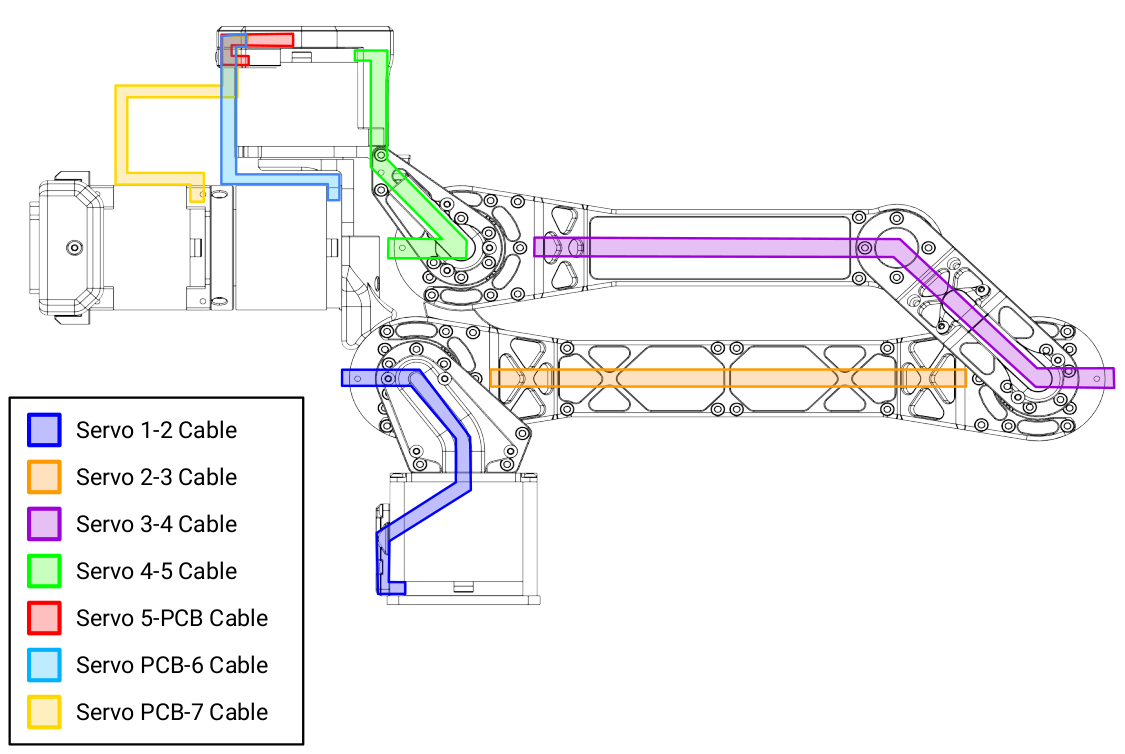
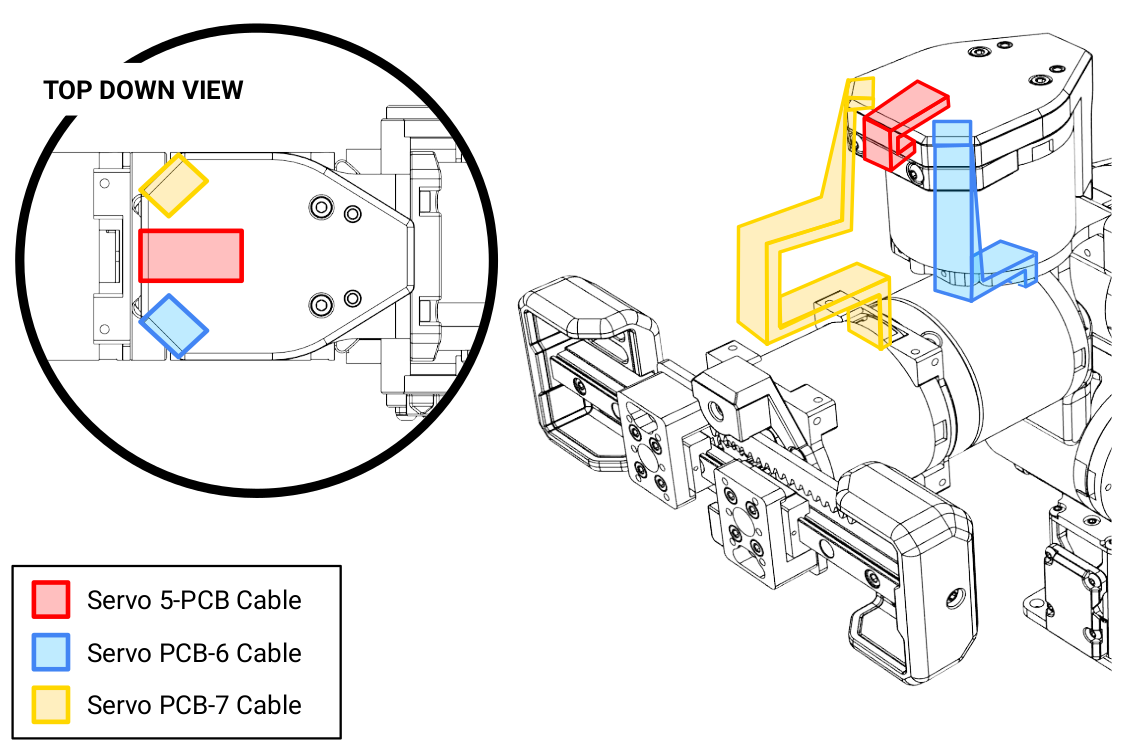
Cable routing diagrams can be seen below:
Motor Replacement Guides
See the motor replacement guides for detailed instructions on how to replace the motors in the Trossen Arm.
Arm Homing
If a motor is replaced or the arm loses its position for any reason, you must recalibrate its position by homing it. The homing process is as follows:
Power off the arm.
Remove the gripper fingers or paddles from the gripper carriages.
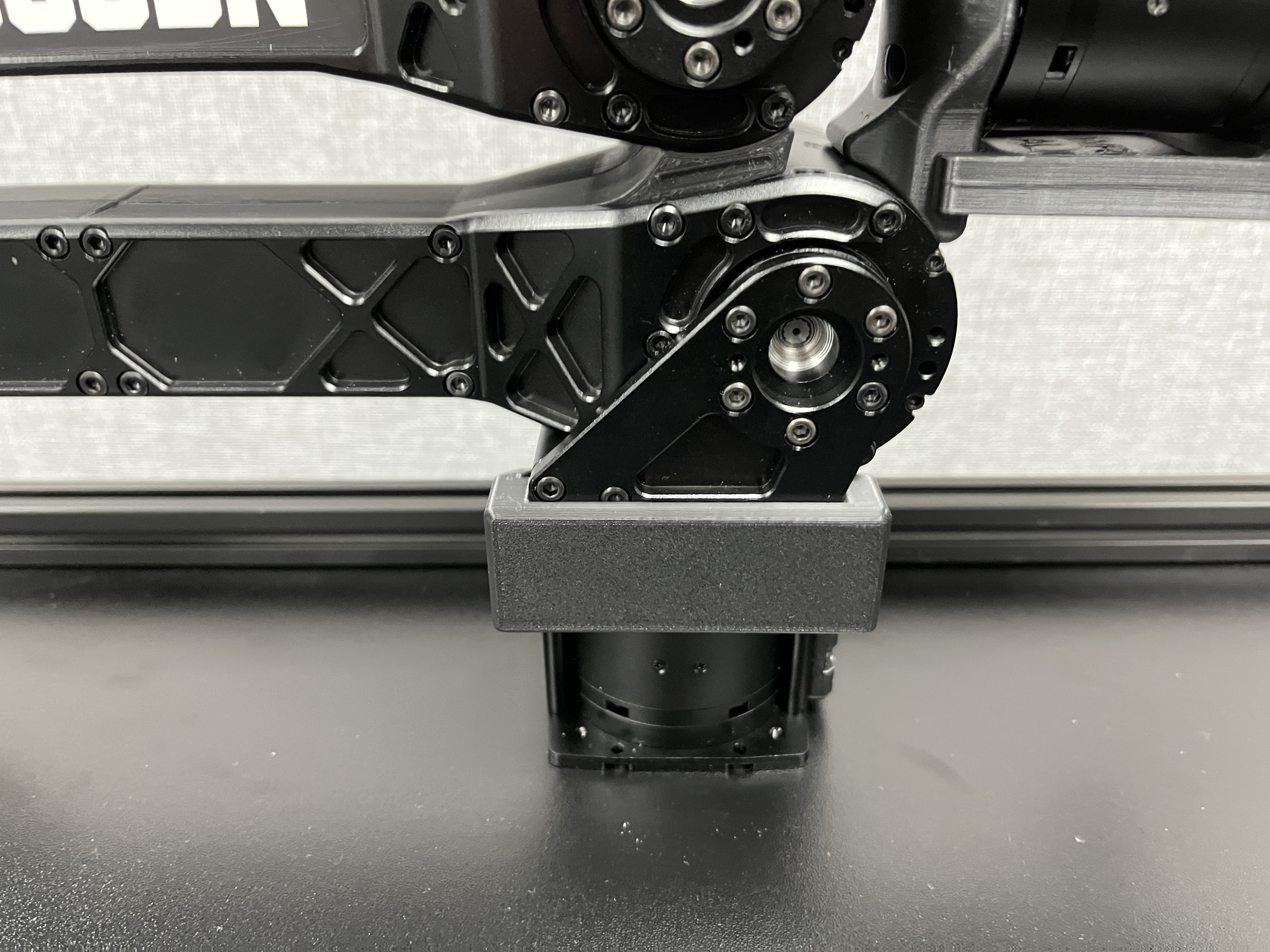
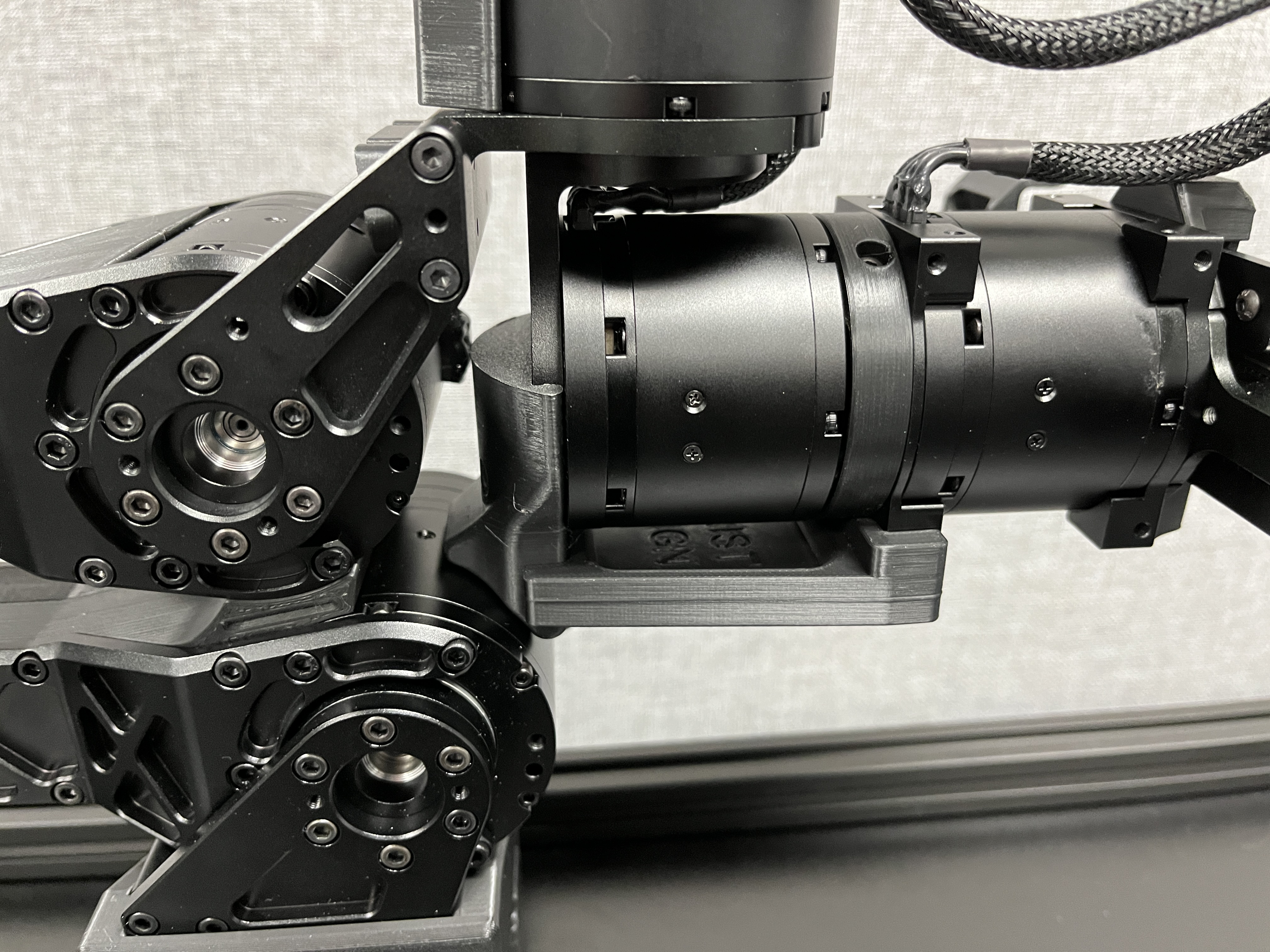
Install the homing jigs on the base and wrist rotate motors.
Base Motor Homing Jig
Wrist Rotate Motor Homing Jig
Close the gripper carriages such that they are both in contact with the retainer bearing housing.
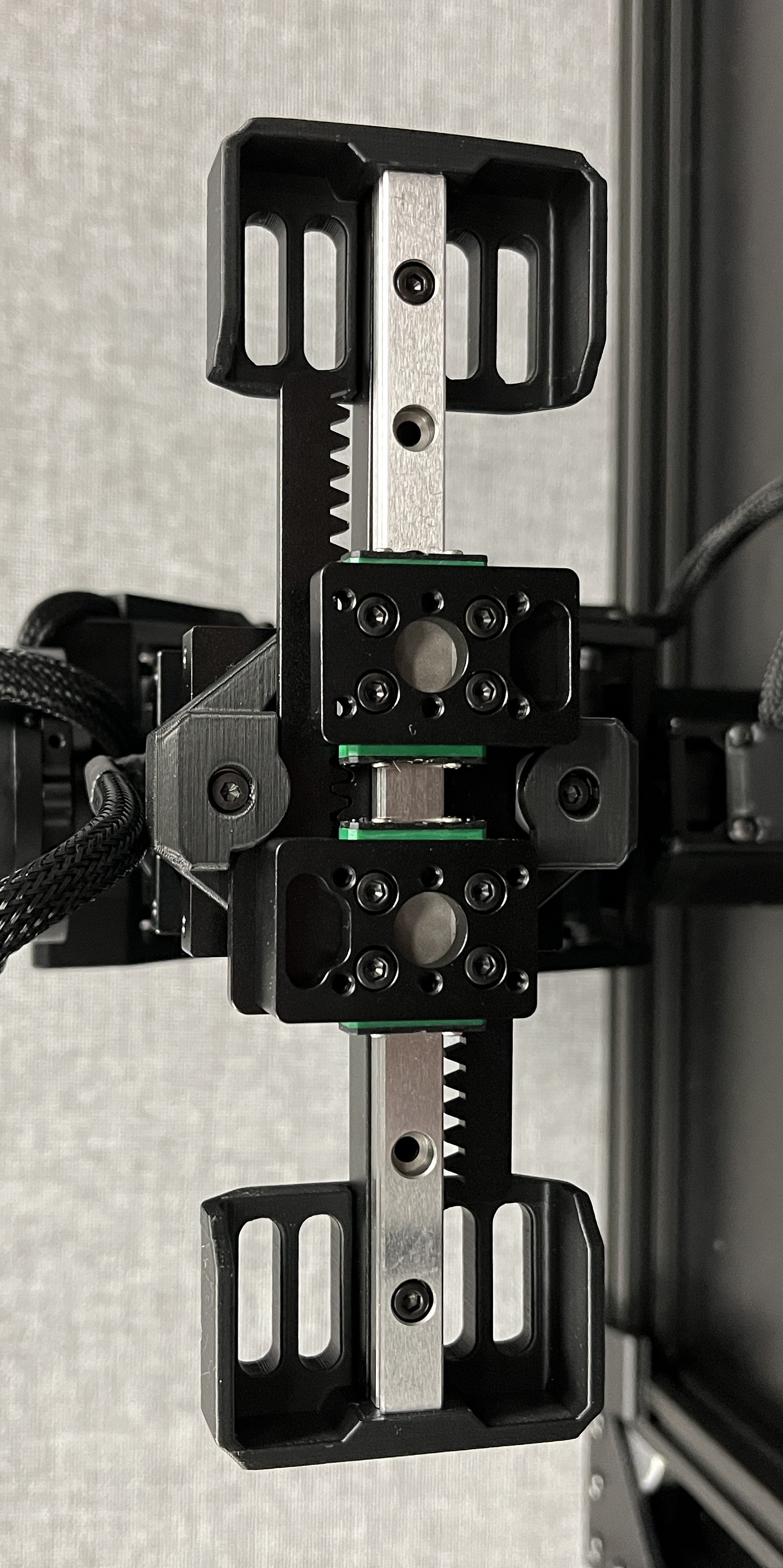
Power on the arm.
Download, unzip, and run the
Trossen Arm Homing script.Follow the instructions in the script to home the arm.
Power off the arm.
Remove the homing jigs from the base and wrist rotate motors.
Reinstall the gripper fingers or paddles on the gripper carriages.
Your arm is now homed and ready for use!
Note
To print your own homing jigs, use the Trossen-provided STEP files in the Downloads section of the documentation. We print these in PLA on a Prusa Mk3 printer with the following settings:
0.2mm layer height
0.4mm nozzle
3 perimeter walls
25% infill
Gyroid infill
Gripper Encoder Test
Occasionally, the encoder in the gripper motor malfunctions and reads incorrect values. This can cause issues including but not limited to:
Gripper position of a follower does not match the leader gripper position during teleoperation.
Position limit exceeded error:
[ERROR] [Motor Interface] Joint 6 position limit exceeded: expected in range [-0.004000, 0.044000], motor reported x.xxxxxx. Setting to idle.
Please follow the steps below to test the encoder.
Download, unzip, and run the
Encoder Test Script.Follow the instructions in the script to test the encoder.
If the encoder is malfunctioning, please contact us at https://www.trossenrobotics.com/support.